Getting started#
Ontology based atomic structure creation, manipulation, querying.
Imports
from atomrdf import KnowledgeGraph
import atomrdf.build as build
The initial step is to create a Knowledge Graph
kg = KnowledgeGraph(enable_log=True)
Creation of structures#
We will create three structures for the demonstration.
First a BCC Iron structure
struct_Fe = build.bulk("Fe", cubic=True, graph=kg)
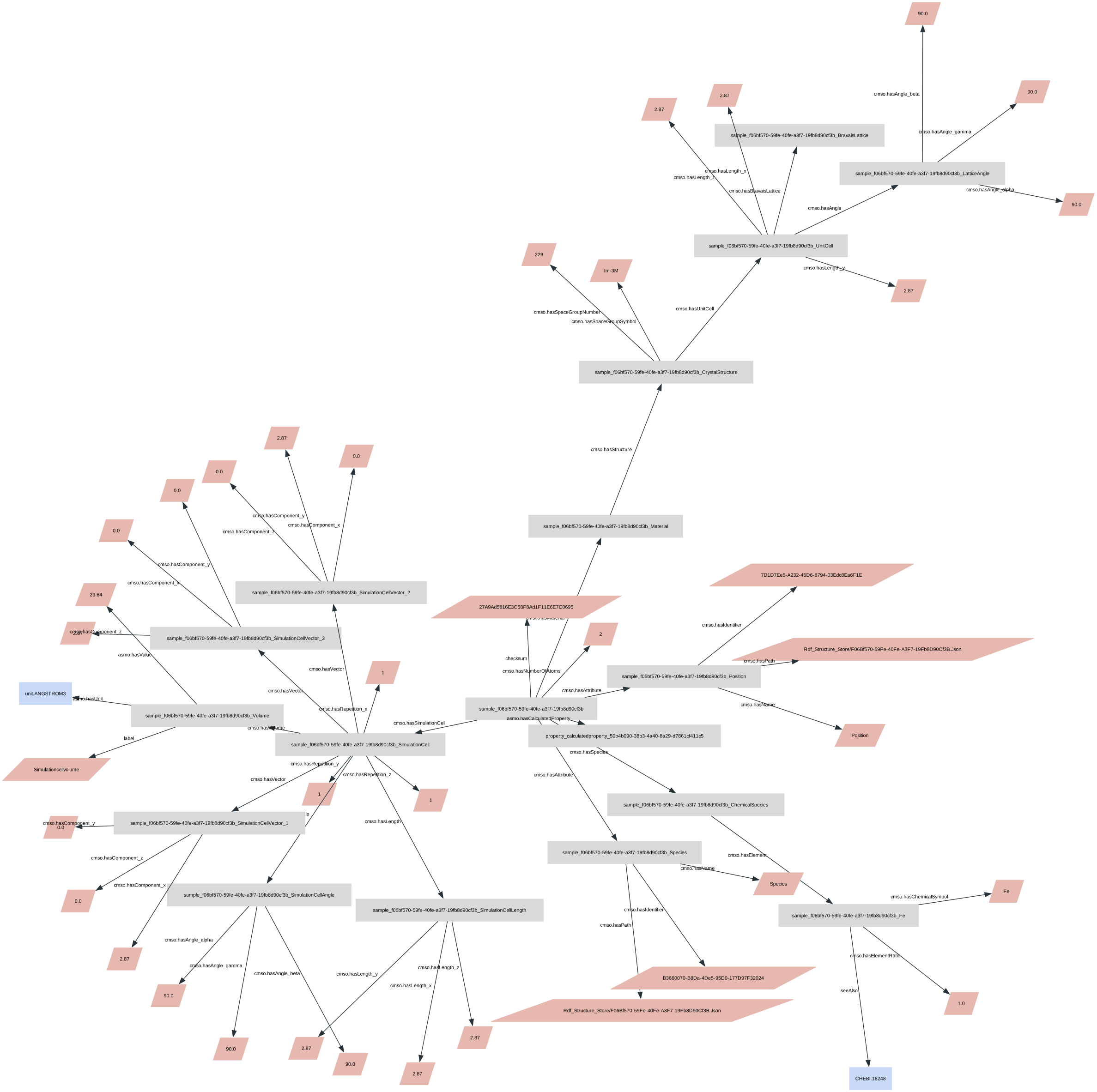
Note that we passed an argument graph=kg which ensures that when the structure is created, it is also added to the Graph automatically. We can visualise the graph.
kg.visualise(hide_types=True)
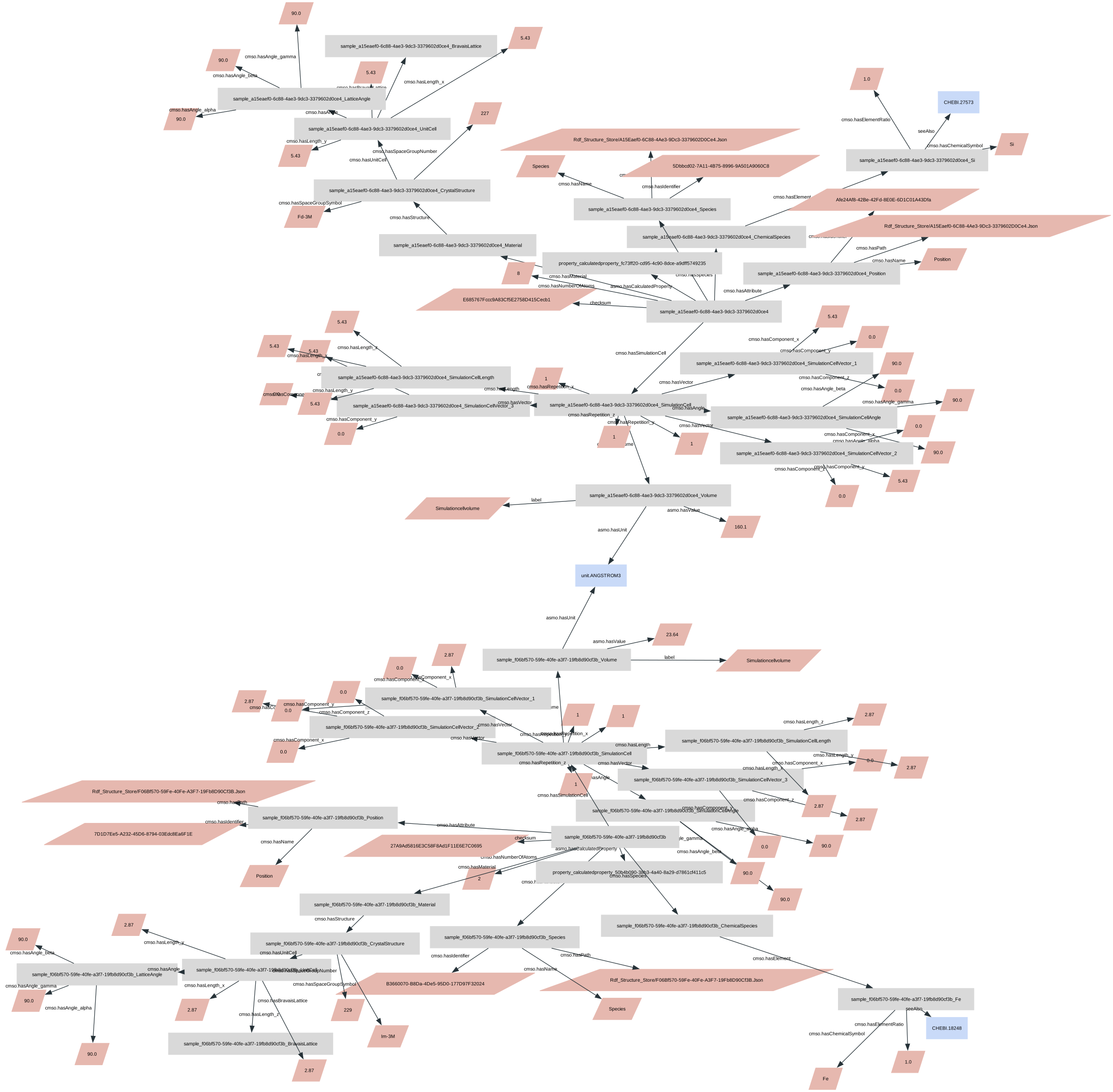
Now a Si diamond structure
struct_Si = build.bulk("Si", cubic=True, graph=kg)
kg.visualise(hide_types=True, size=(60,30))
We can save the graph and reload it as needed
kg.write('serial.ttl', format='ttl')
kg = KnowledgeGraph(graph_file='serial.ttl')
kg.n_samples
2
Querying the graph#
An example question would be, what are the space group of all structures with 4 atoms?
The corresponding SPARQL query looks like this:
query = """
PREFIX cmso: <http://purls.helmholtz-metadaten.de/cmso/>
SELECT DISTINCT ?symbol
WHERE {
    ?sample cmso:hasNumberOfAtoms ?number .
    ?sample cmso:hasMaterial ?material .
    ?material cmso:hasStructure ?structure .
    ?structure cmso:hasSpaceGroupSymbol ?symbol .
FILTER (?number="2"^^xsd:integer)
}"""
res = kg.query(query)
And print the results
res
| symbol | |
|---|---|
| 0 | Im-3m |
The query system can also be used without experience in SPARQL, or deep knowledge about the ontology terms. The same query would be:
df = kg.query(kg.terms.cmso.AtomicScaleSample, [kg.terms.cmso.hasSpaceGroupSymbol, kg.terms.cmso.hasNumberOfAtoms==2])
df
---------------------------------------------------------------------------
AttributeError                            Traceback (most recent call last)
Cell In[13], line 1
----> 1 df = kg.query(kg.terms.cmso.AtomicScaleSample, [kg.terms.cmso.hasSpaceGroupSymbol, kg.terms.cmso.hasNumberOfAtoms==2])
      2 df

AttributeError: 'NoneType' object has no attribute 'cmso'
sample = df.AtomicScaleSample.values[0]
We can write this sample to a file, for example, a LAMMPS data format, to use it for further simulations
kg.to_file(sample, 'lammps.data', format="lammps-data")
! more lammps.data
(written by ASE)

2 atoms
1 atom types

0.0      2.8700000000000001  xlo xhi
0.0      2.8700000000000001  ylo yhi
0.0      2.8700000000000001  zlo zhi

Atoms # atomic

     1   1                       0                       0                       0
     2   1      1.4350000000000001      1.4350000000000001      1.4350000000000001
lammps.data (END)